DAIR: A New Framework for AI Prompts

A photo of a curly-headed man sitting in front of a computer.
by C.A. Clark
Vice President of AI

The gap between a useless AI response and a great one usually isn’t the tool, but the prompt. Many users default to vague, one-line inputs and expect a specific response back. Like most people, AI responds to clarity—the more precise your input, the more useful the output. 

There are plenty of frameworks out there that seek to help people find that clarity. The CRIT framework was developed by Geoff Woods, and the 4D Framework for AI Fluency, which Anthropic uses in their fluency courses, was co-created by Rick Dakan, AI Coordinator at the Ringling College of Art and Design, and Joseph Feller, Professor at the University College Cork. No single approach works for everyone, but the difference between AI frustration and AI results is usually a matter of choosing the best-fit technique to refine your prompts.

I didn’t find an approach that worked for me, so I created my own. I call it DAIR. I built it from the questions I ask myself every time I prompt ChatGPT, Claude or Gemini. Here’s how it works:

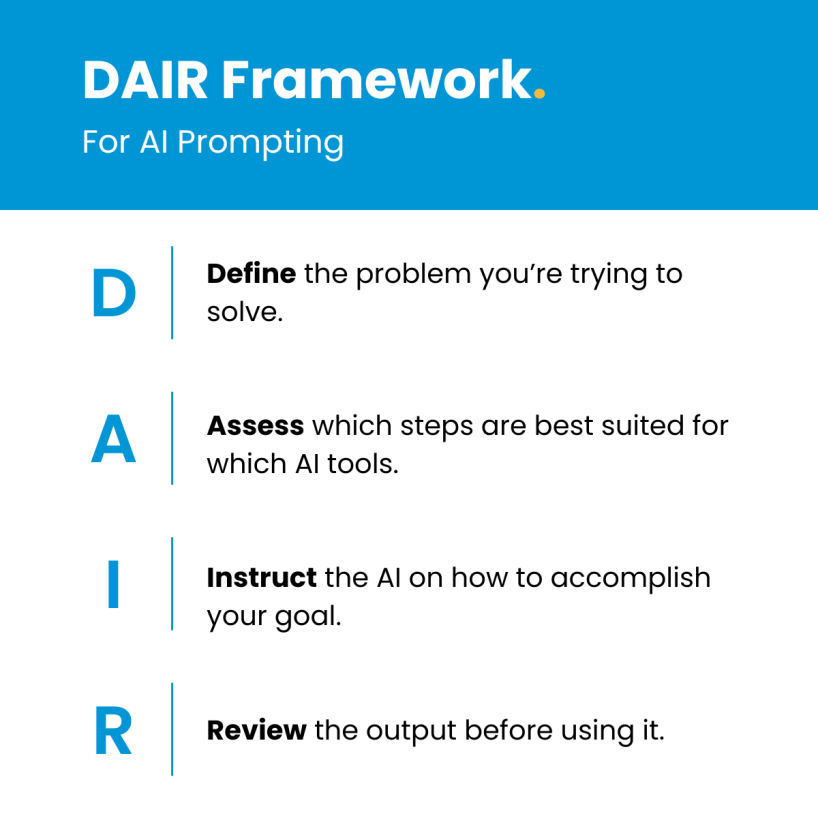
A photo of the DAIR framework.

D - Define the Problem

It’s an old adage that to solve a problem, you first need to define it. One of the most common mistakes we’ve seen in our AI Opener program is that users will jump straight into prompting without taking the time to think through what they’re actually trying to accomplish. This tendency to skip the planning phase is what often leads to frustration, with users receiving outputs that don’t hit the mark. Before you prompt, ask yourself: What does success look like? What’s the deliverable? Who is it for?

Once you figure out your outcome, it’s time to create discrete steps or subtasks stemming from the problem. Most people try to one-shot their prompt, packing in everything at once and getting a jumbled mess back.  

Here’s an example: Your organization ran a webinar and 87 questions came in, but only 12 of them were answered live. You’ve been tasked to turn the questions, including the unanswered ones, into a follow-up FAQ. That FAQ sheet is the outcome. The subtasks to reach that outcome might be: cleaning up the exported spreadsheet, removing duplicate questions, grouping by theme and ranking them by frequency. 

A - Assess Which Tool Fits

With your problem defined and broken into subtasks, it's time to match each one to the right tool. This requires some AI experience—you can’t pick the right tool if you’ve never used it. It also means knowing what tools won’t work. For example, pasting 87 questions into a free-tier tool with a short context limit will likely cut you off halfway through. 

Beyond knowing what won’t work, consider what the task actually requires. Is this a writing task? Analysis? Image generation? Research? For our webinar example, the first subtask—cleaning up the spreadsheet—might not need AI at all. A few minutes in Excel or Google Sheets would be faster than prompting. But grouping 87 questions by theme? That’s where an LLM like ChatGPT or Claude shines and saves you time, since they handle categorization well. 

Additionally, don’t limit yourself to the first model you see when using AI. LLMs like ChatGPT and Claude have different models for different tasks. Need a quick categorization? Gemini has Flash, ChatGPT has Instant and Claude has Haiku or Sonnet. If your subtask involves research, use the Deep Research version of these models to get the most out of them

I - Instruct the AI

Now that you’ve defined the problem and assessed which tool fits, it’s time to instruct the AI on how to accomplish your goal. To design your prompt, consider your role, audience, format and constraints. You should also think about what documents, materials and information you can provide as context. Remember, the more context you give a tool, the better the output will be. 

Let’s go back to our webinar example. A prompt like “organize these Q&A questions” won’t get you far. There’s no context, no format and no direction. Compare that to “Here are 87 questions from a webinar Q&A. Group them into 5-7 themes. Under each theme, list 2-3 example questions. Ignore duplicates and off-topic questions.” The second prompt tells the AI exactly what you want as an output.

If your task is more complex, break it into a multi-step workflow rather than cramming everything into one prompt. For example, if you need an AI tool to both summarize a series of documents and create follow-up questions based on the summary, consider taking it one step at a time. And include examples whenever possible—they’re powerful, especially for formatting. Show the AI what you want, and it’ll get closer to delivering the type of output you’re looking for. 

R - Review the Output

Once you have your output, the work isn’t done. It’s time to review what AI produced before you use it.  Don’t forget, accepting AI outputs without human judgment is risky and can lead to incorrect and inauthentic data. An LLM can handle the tasks you assign it, but ultimately, you know your audience, goals and knowledge base better than any model does. If you’re working with any facts, citations or calculations, you’ll need to verify that they’re accurate.

You should also check that your output meets your original objective. In our webinar example, you would want to ensure the 87 questions were grouped into themes and that two or three questions were included in each theme section. If the outcome doesn’t work, refine your instructions or revisit your problem definition. 

No matter which AI tool you choose, defining a process to build clear, strong prompts will help you use these tools more effectively and garner more meaningful, accurate outputs. And like any skill, prompting requires practice—and the more comfortable you can get with creating prompts now, the more you’ll thrive as AI becomes more sophisticated and powerful. 

At Miles, our team works with travel and tourism brands navigating the AI shift, both through the North American Cohort of AI Opener and through direct partnerships with destinations. Join the AI Opener program to explore frameworks like DAIR, build tools you can actually use with a free Claude Team account and connect with like-minded industry peers. 

Get in touch

Let's work together
· Contact Us · Contact Us · Contact Us